

Documentation Index
Fetch the complete documentation index at: https://gusto-preview.mintlify.app/llms.txt
Use this file to discover all available pages before exploring further.
Prerequisites
If you don’t already have a Xero or QBO account, you must set up a free account with the integration you are testing:- Xero: If you don’t already have a Xero account, set up a one-month trial Xero account—this does not require payment, and will allow you to test in our Demo environment.
- QBO: You will need a sandbox company to test flows.
- Create a developer account at developer.intuit.com, which is free of charge. Once your developer account has been created, you by default have a sandbox company that you can use to test flows.
How to test the flows
- Make sure you have a testing account set up for your integration. If you don’t, follow the steps in the Prerequisites section.
- Create your desired flow and navigate to the generated flow URL.
- Select the button to connect to your integration.
- You’ll be taken to a page for signing into either Xero or QBO, where you should sign into your testing account.
- Connect to the Xero or QBO organization and you’ll be routed back to the mappings page on your flow.
Flow types
-
xero_accounting_integration: Complete end-to-end integration setup for Xero, triggers a “gusto:flow-finish” flow event upon completion of all mappings.-
Individual child flows for custom navigation with Xero:
xero_mappings: Account mapping configuration onlyxero_settings: Integration settings managementxero_payrolls_to_sync: Payroll synchronization interface
-
Individual child flows for custom navigation with Xero:
-
quickbooks_accounting_integration: Complete end-to-end integration setup for QBO
Example views
Check out these example views of the flows, which have similar UI for both Xero and QBO flows.Mappings page
Below is an example view of the mappings page for a Xero integration: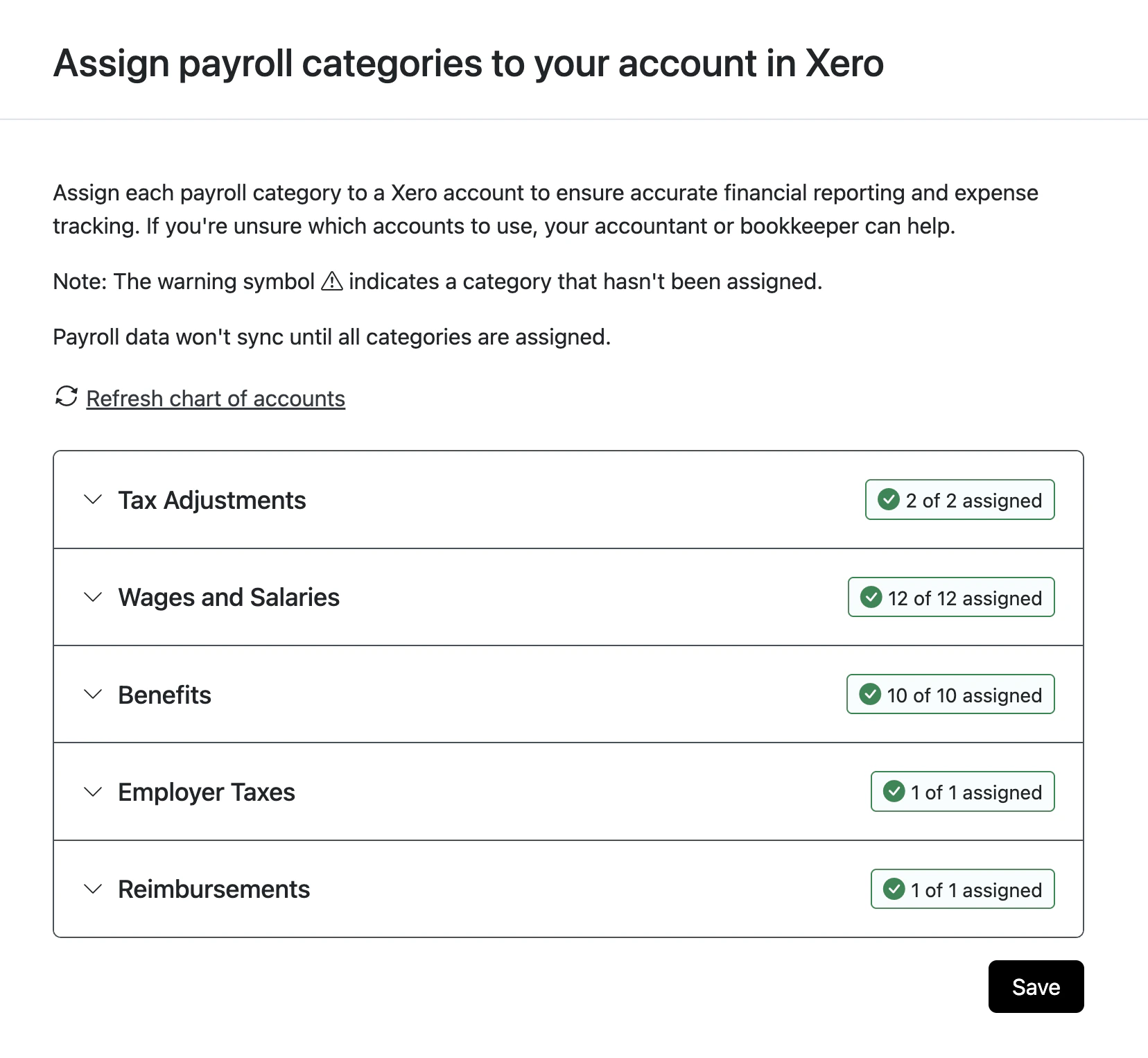
Configuration page
Here is an example view of the configuration page for a Xero integration: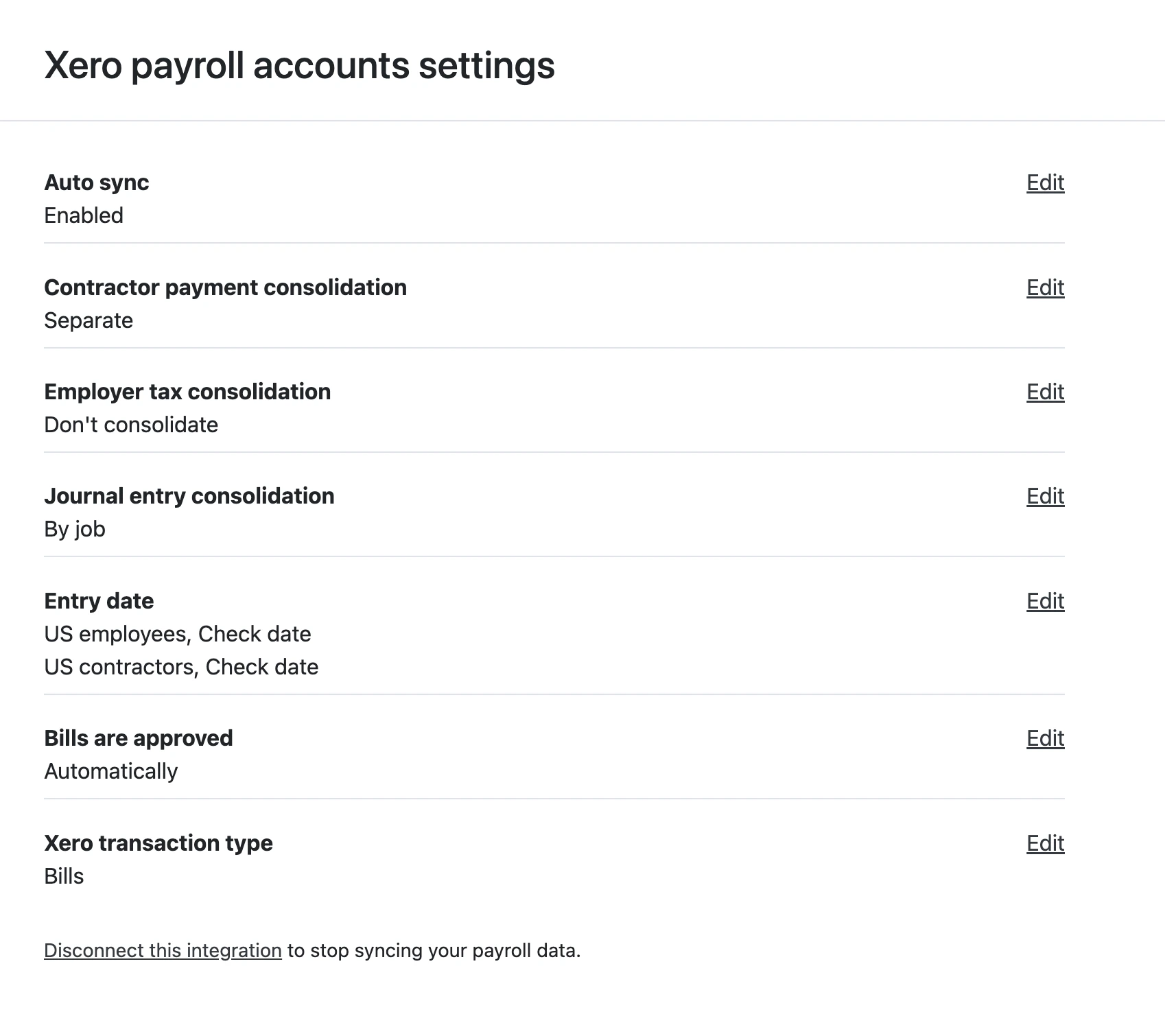
Sync payrolls page
Here is an example view of the page for syncing payrolls manually and viewing past payroll syncs: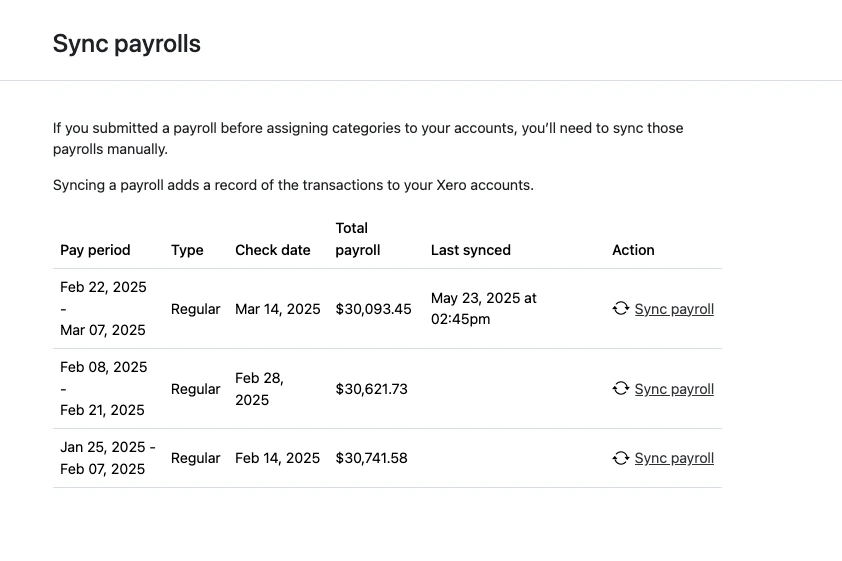
FAQ
Where will I see synced data on my accounting integration?
In Xero: Xero has two options for syncing payroll data, configurable in the Xero payroll accounts settings under Xero transaction type.- If you sync as “Bills,” each payroll will sync to Business > Bills to Pay.
- If you sync as “Journal,” each payroll will sync to Accounting > Reports > Journal Report,
Are these flows customizable?
Yes, you can customize the logo in the left panel once inside the flow. The auth page is not customizable, as it’s not owned by Gusto.401(k) (Vestwell) Submit Feedback