

Documentation Index
Fetch the complete documentation index at: https://gusto-preview.mintlify.app/llms.txt
Use this file to discover all available pages before exploring further.
Enable I-9 verification in Developer Portal
From the Developer Portal, check the flows partner config Allow employer to choose whether an employee should complete an I-9 during self-onboarding to enable the I-9 feature in Flows. See the Customize Flows guide for more details.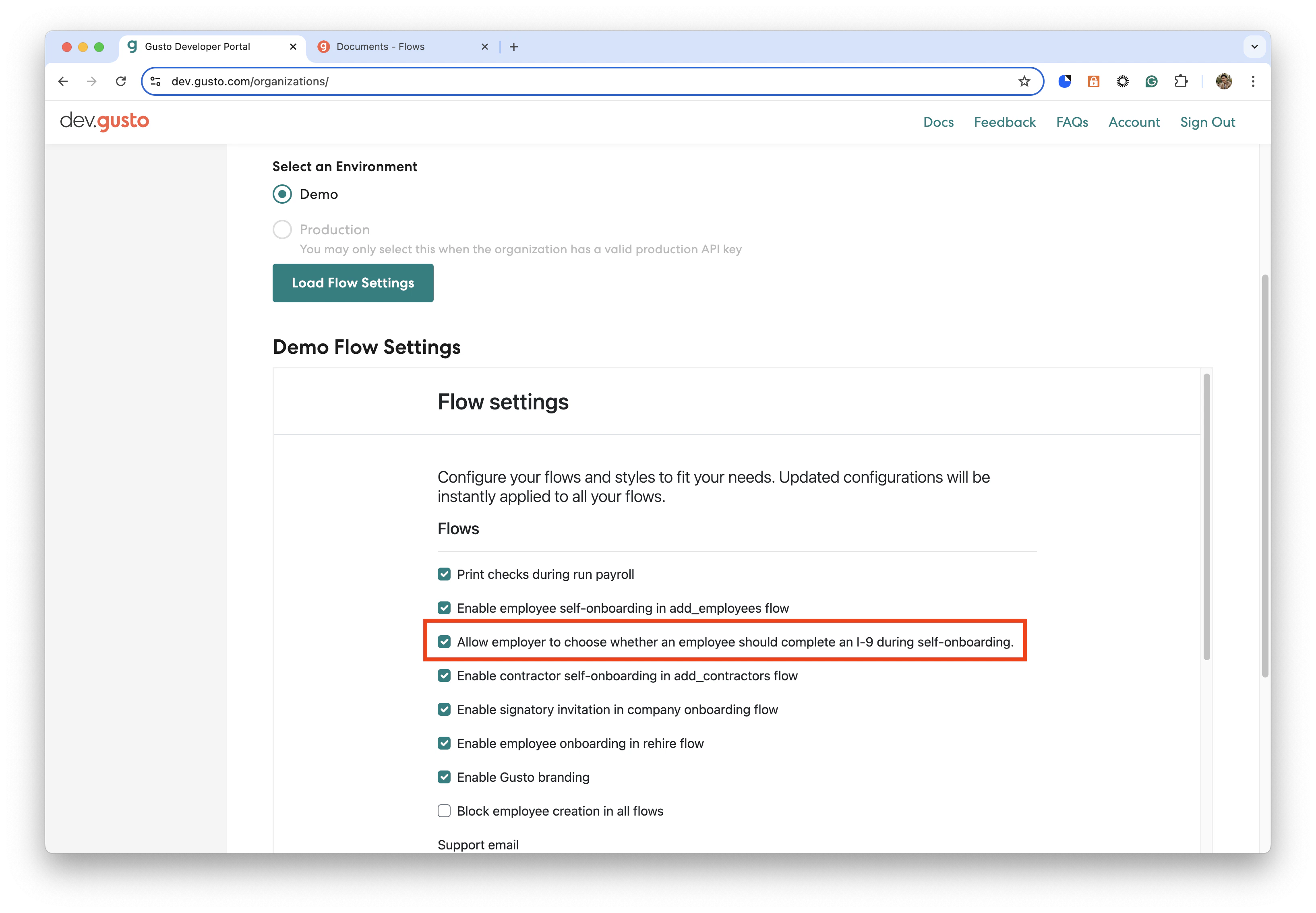
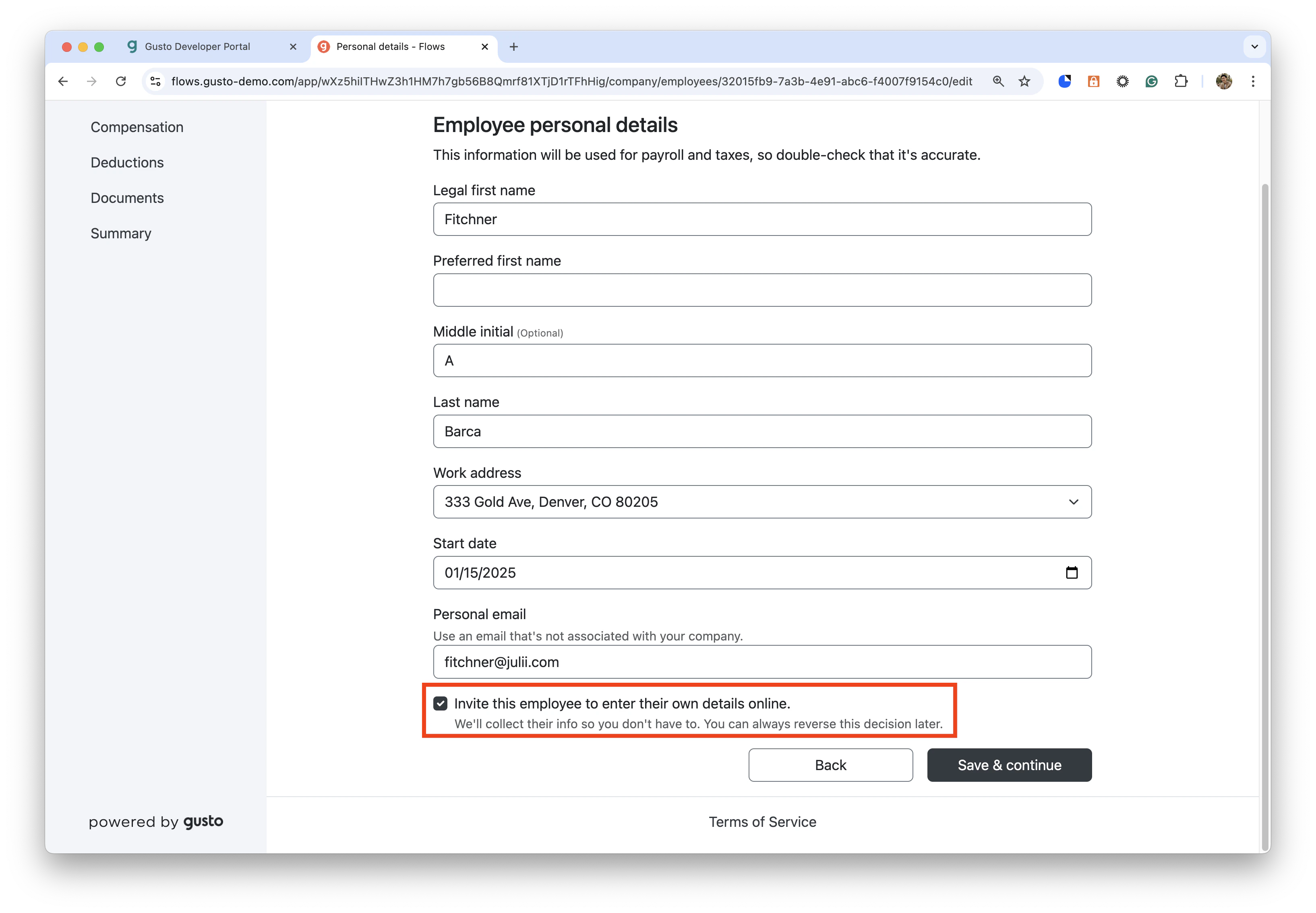
2. Create an employee and invite them to self-onboard
- Create an employee and invite them to self-onboard, this can be done via the
company_onboardingflow oradd_employeesflow.
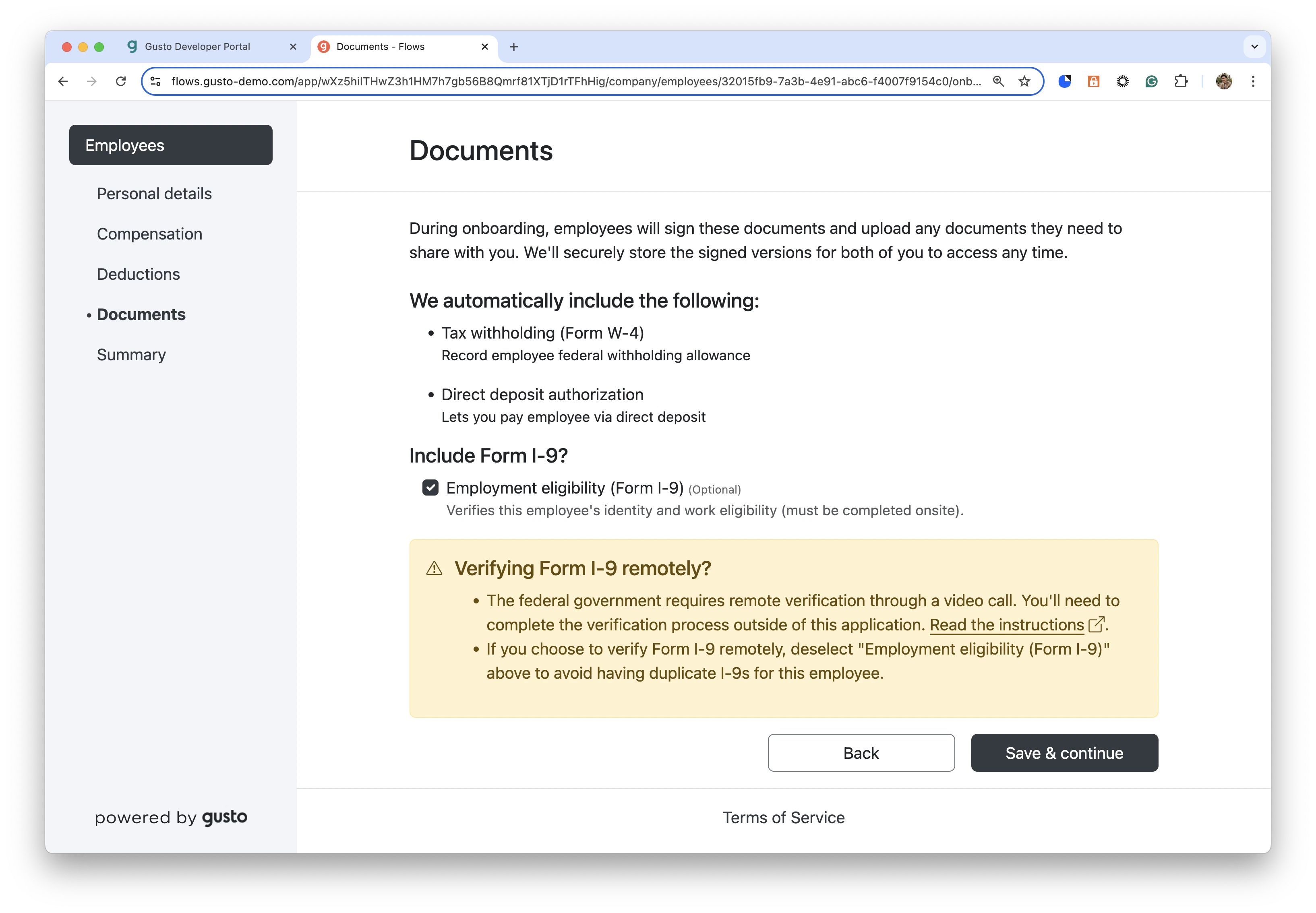
- On the Documents page in the onboarding flow, check the box to include Form I-9.
- Invite the employee to self-onboard.
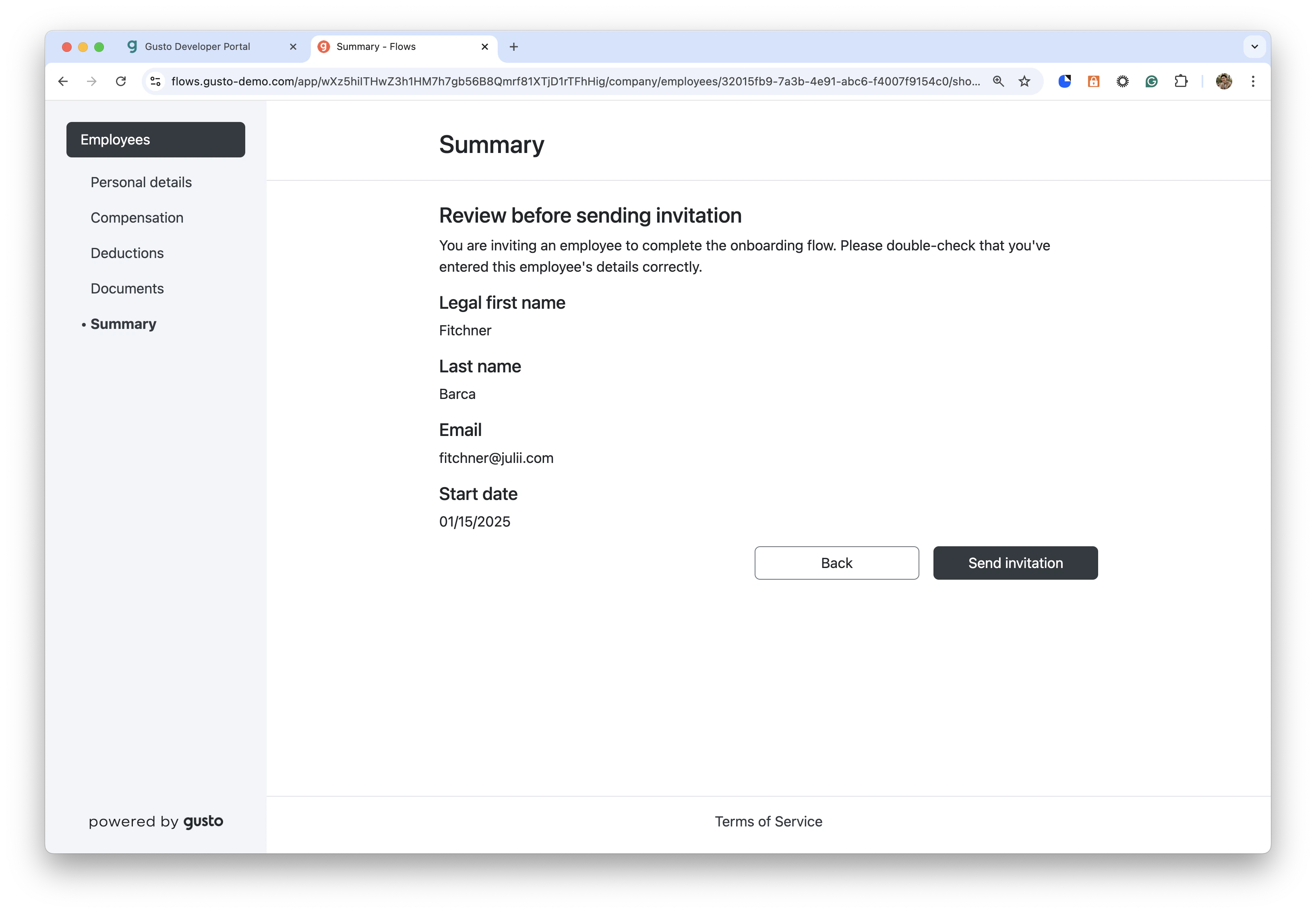
3. Employee completes self-onboarding process
- Generate an
employee_self_managementflow for the new employee.
- The employee should enter their authorization status on the Personal details page.
- Additional details may be required, depending on which authorization status is chosen.
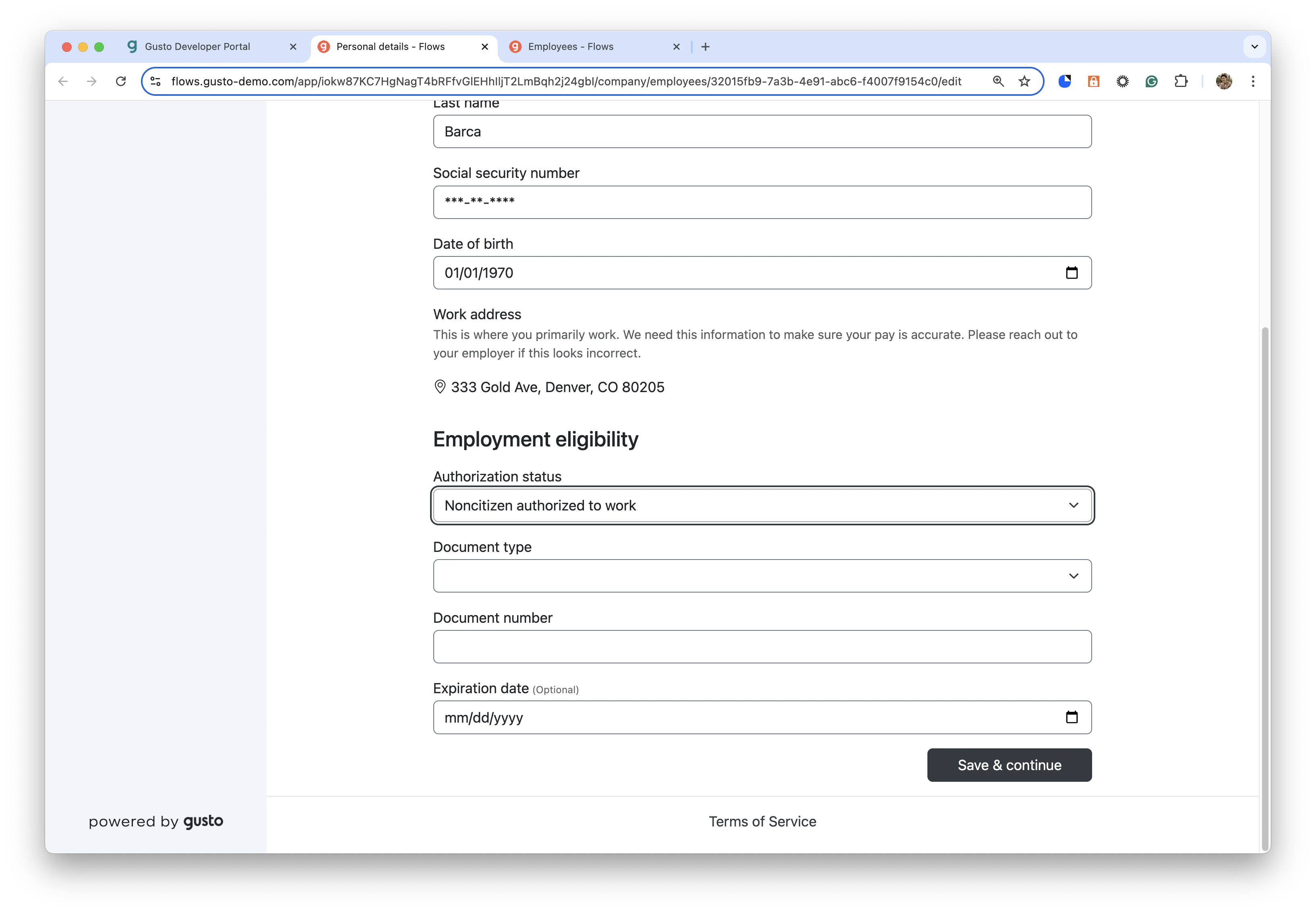
- Continue through the flow, filling out all required info to successfully onboard the employee
- You can return to the Personal Details page and edit authorization status information.
After the I-9 form is signed, you cannot edit the authorization status information.
- On the Documents page, sign the Form I-9
- When signing the Form I-9, add preparers/translators as needed. Up to 4 can be added.
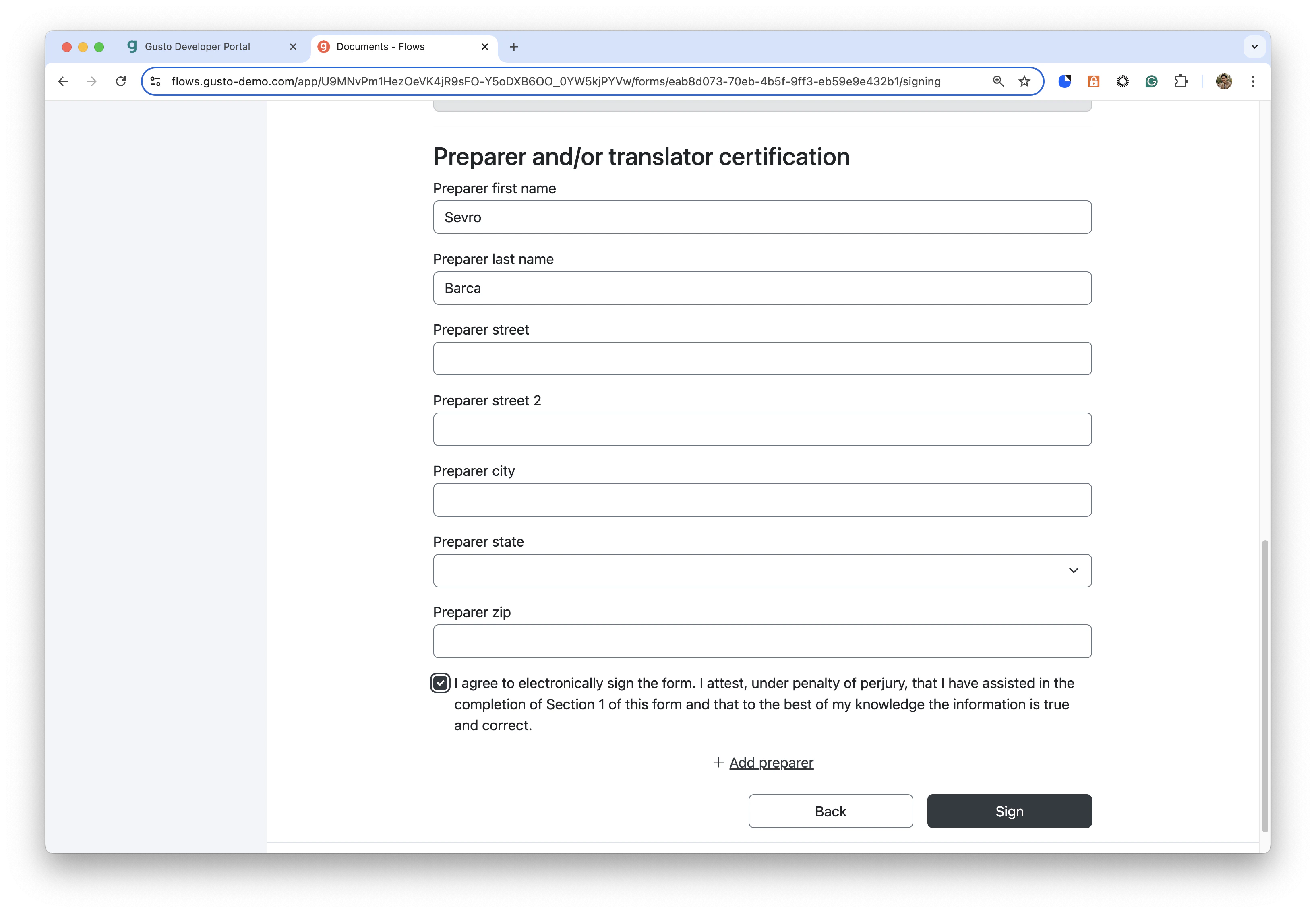
- Finish self-onboarding for the employee
4. Employer verifies employee information
- Verify the employee has completed self-onboarding. Go back into the
company_onboardingoradd_employeesflow to verify the employee. - Continue through the steps until you have successfully finished onboarding the employee.
5. Employer adds evidence documents via the I-9 verification flow
- Generate an
i9_verificationflow for the employee. Ensure this is done after the employee has fully onboarded and signed the Form I-9.
- Select I-9 verification document types
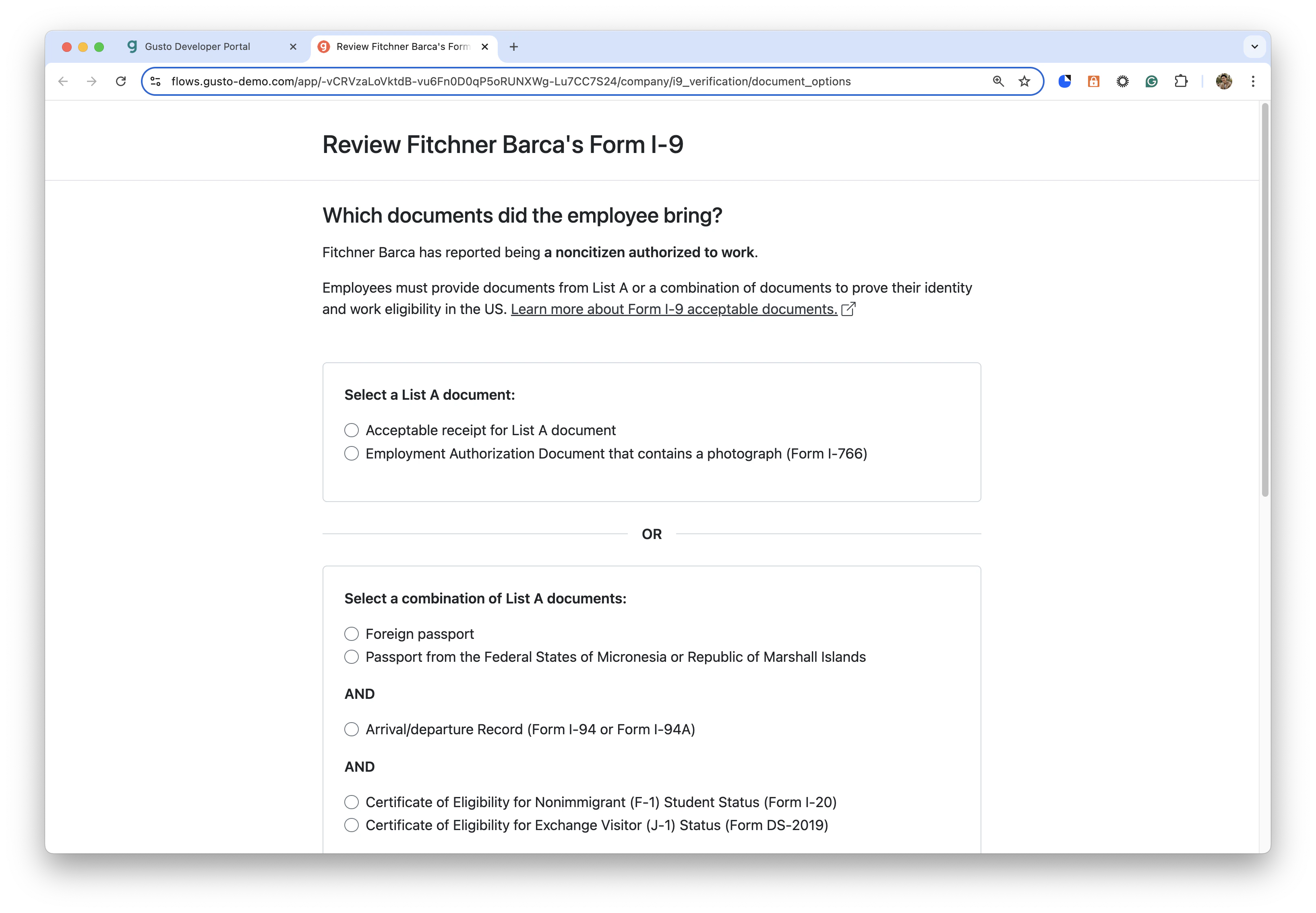
- Fill out verification document details for selected document types
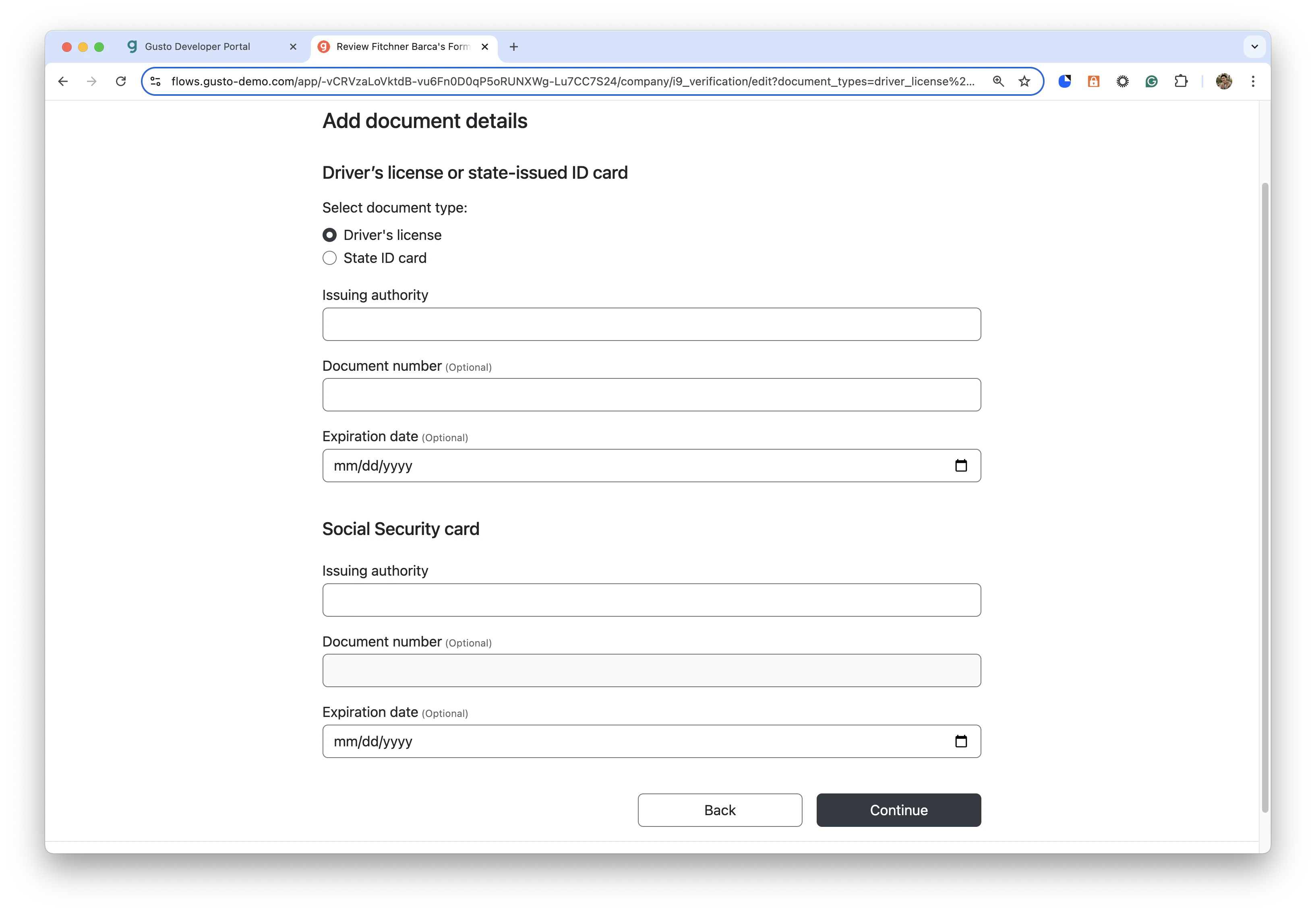
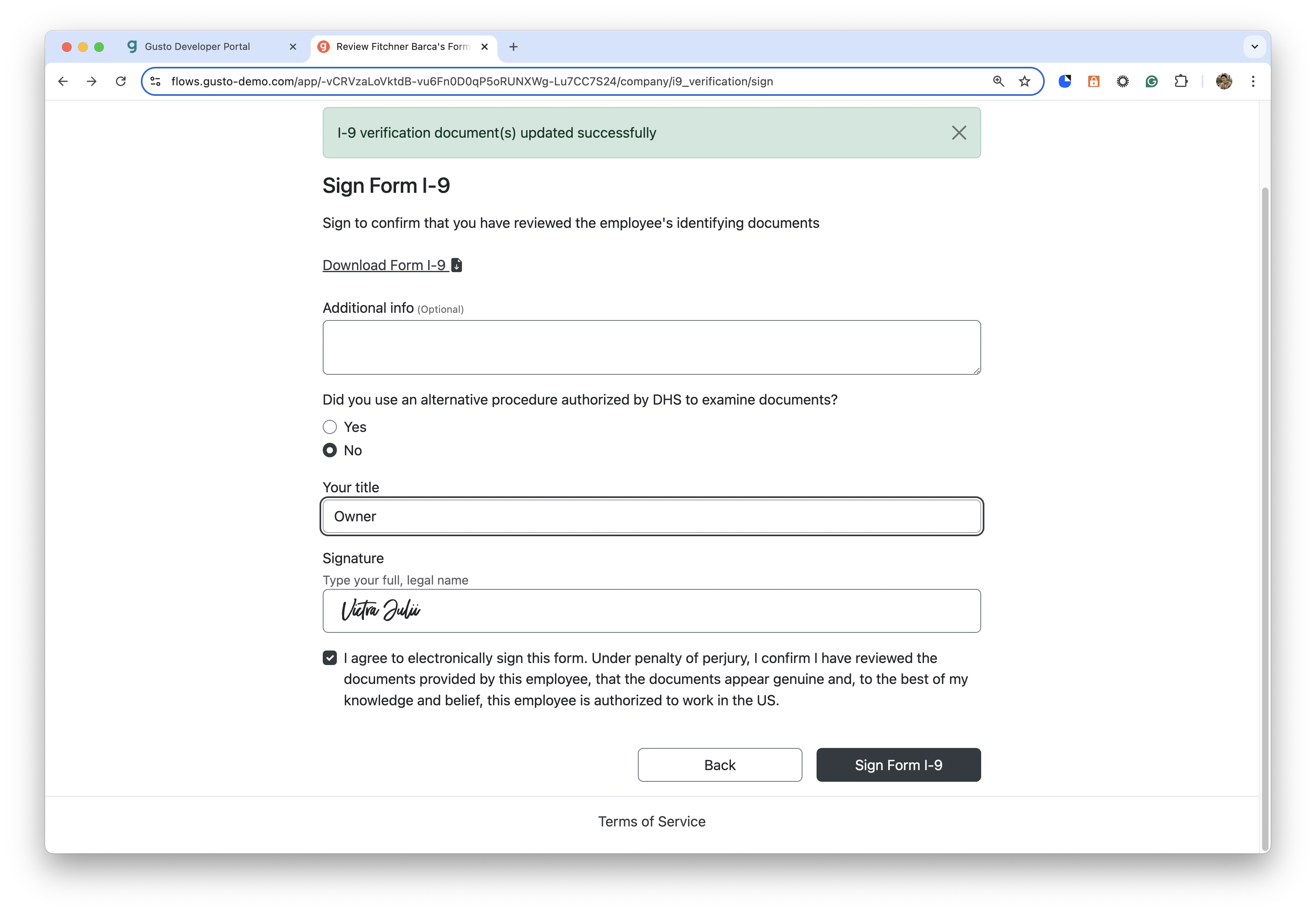
- Sign the Form I-9 as the employer
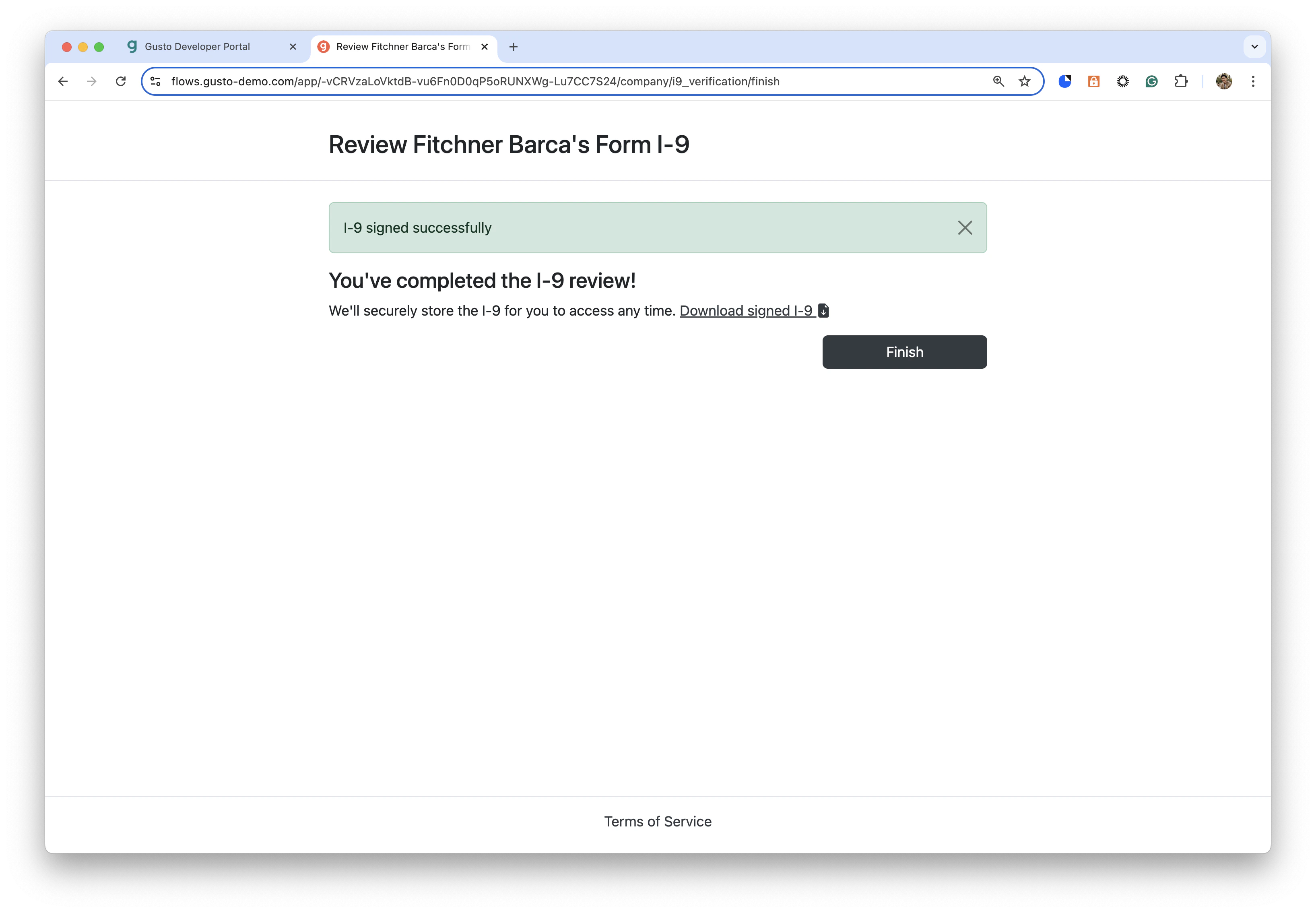
- If successful, you will see the Finish page where you can download the completed Form I-9 for the employee
I-9 employment verification Manage employee addresses